
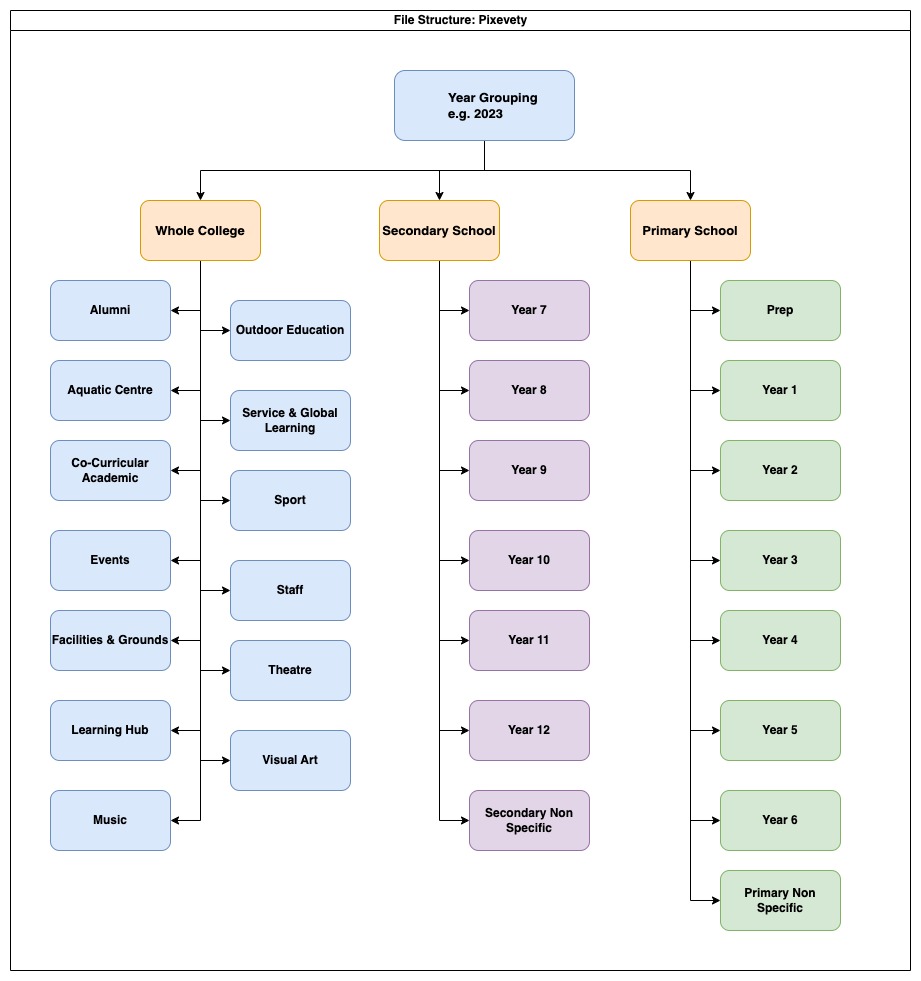
Media is organised into Groupings (Years), folders (School area, or sub-area) and albums (Individual events) based on the event or occasion on which the media was captured. Navigating to find media can be helpful when you know the event you are looking for images from. The above video shows how to navigate using this structure.
The image below shows how St Andrew’s has set up our structure:
Search #
In most other cases, using the search function is the easiest way to find media if you don’t have a specific event or image in mind. Use the search function to see all images of a person, or use tags to find images of Hocknull students doing javelin.
Searching for a Person #
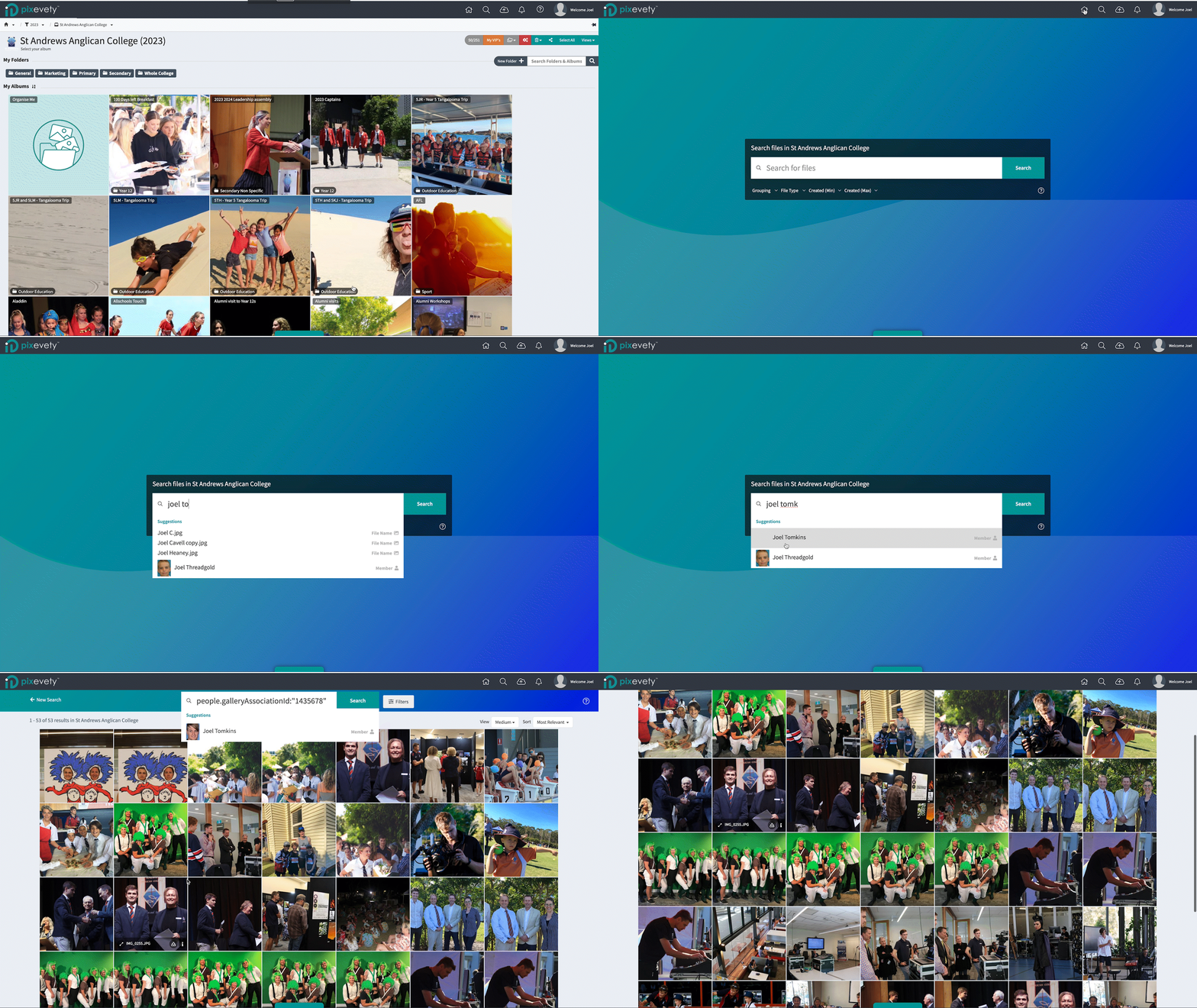
To search for a person:
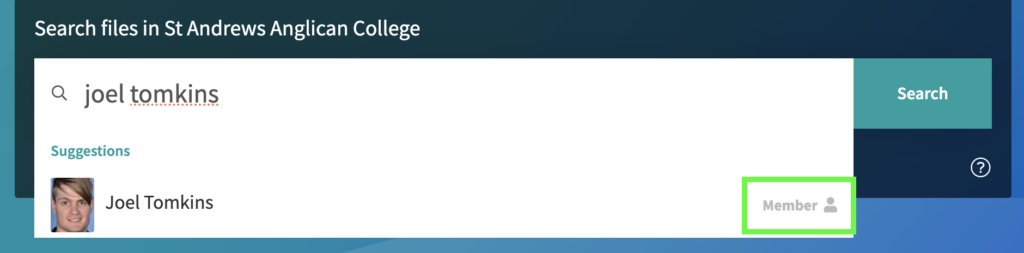
- Begin typing the person’s name. Suggestions will begin to appear in the dropdown below the search bar.
- On the right hand side of the suggestions, file types or tags are shown. Click on the Member suggestion rather than typing the name and pressing enter. This will ensure your search returns media where the person has been recognised only.
Search for Specific Tags #
Students are tagged with their graduation year to allow searching for photos of particular year levels. To search for a year level use the following search operator: people.tags:”YYYY” where YYYY is the graduating year. This can be combined with the year you would like to see media from by using the AND operator. For example:
Searching people.tags”2025″ AND tags.value:”2023″ will return images of our current (as of 2023) Year 10 cohort, that were taken in 2023.

Similarly, a search for people.tags:”Hocknull” would return all media containing students in Hocknull.
Searching Using Operator Functions #
Use search operators like AND to narrow or extend your search:

Available search operators and their function are listed below:
Using *
- Adding an asterisk to the end of a word acts as a wildcard, allowing you to search for additional characters e.g.,
Diff*will search for Differ, Difference, Differentiation.
Using AND/OR
- Combine search terms with
ANDto narrow down your search e.g., GraduationANDAssembly will return results containing both words. - Combine search terms with
ORto find results containing one or more of those words e.g., GraduationORAssembly will return results for either word, but not necessarily both.
Using "/"
- Quotation marks refine your search to an exact word or phrase e.g.,
"Yearbook"or"Class of 2022".