
Microsoft Teams provides two options for transferring calls: direct transfer and consultative transfer, in which you can speak to the recipient before completing the transfer.
Direct Transfer #
To transfer a call directly without speaking to the recipient:
- While on the call, select Transfer.
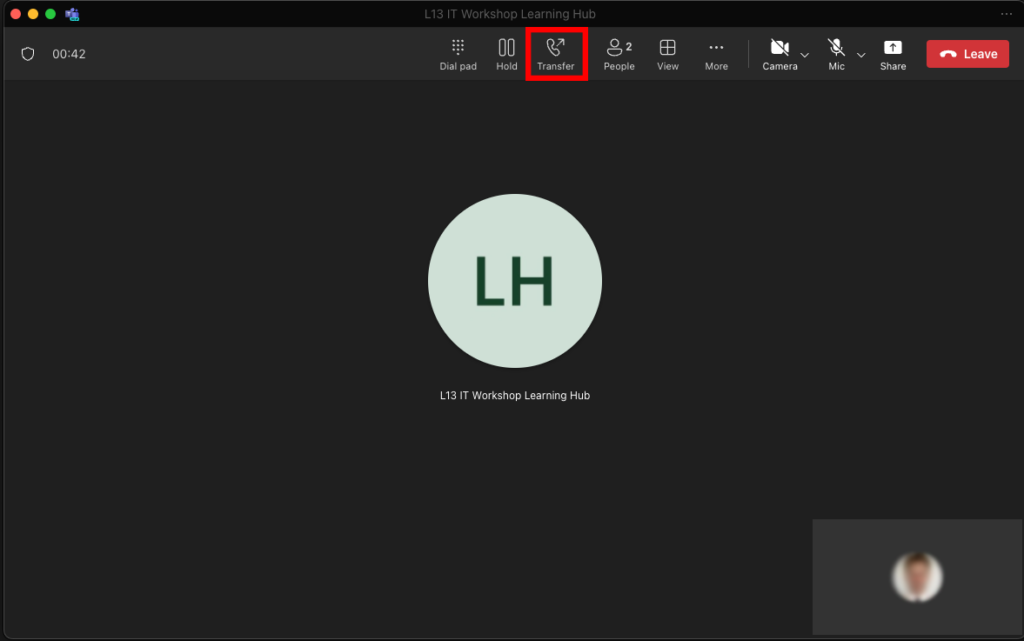
- From the drop-down menu, select Transfer again.

- Type the name of the person you want to transfer the call to.
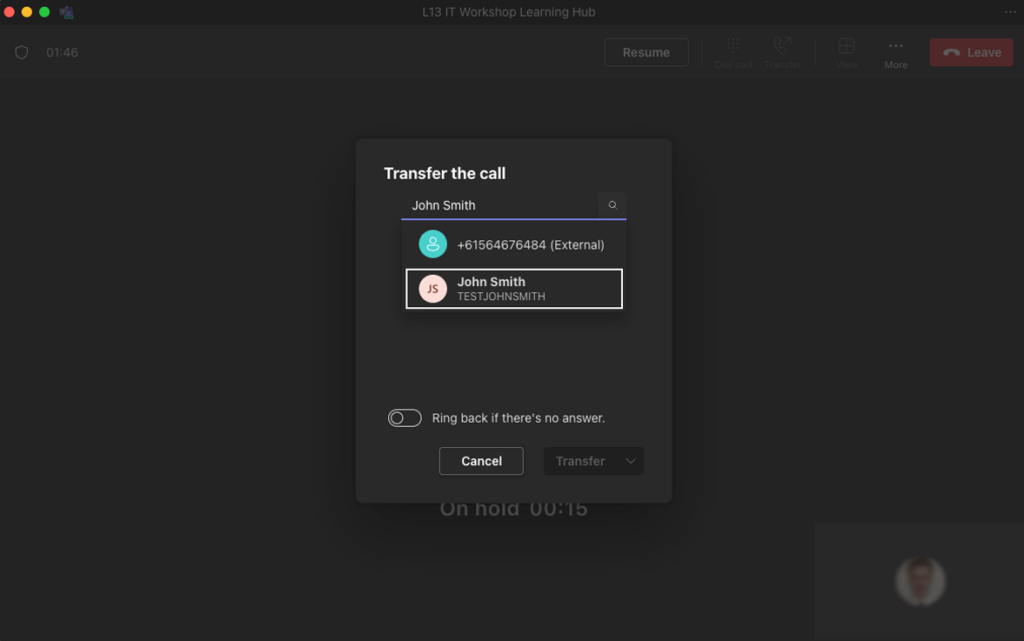
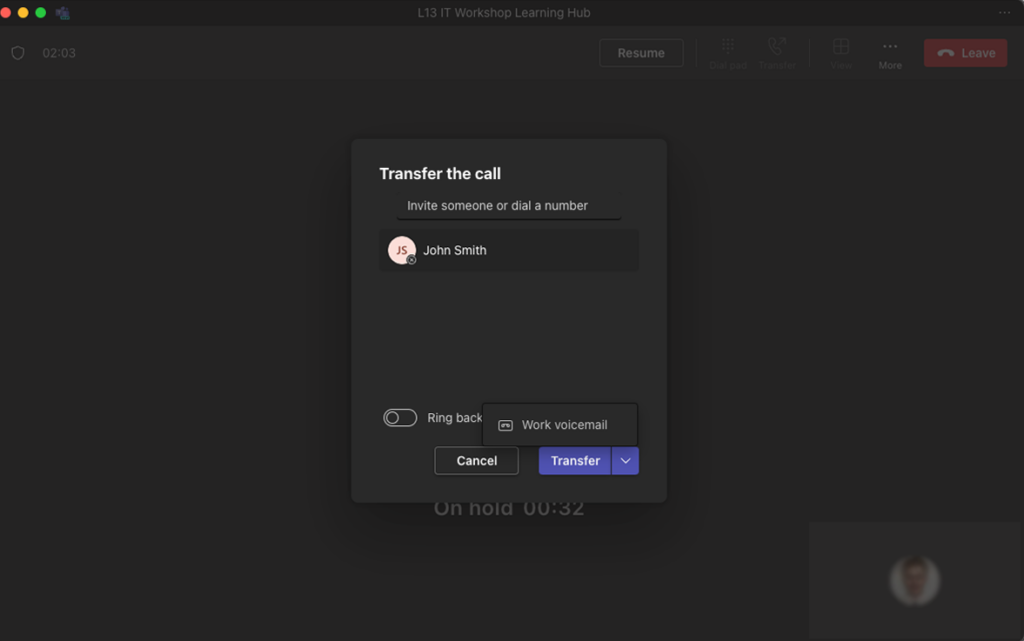
- Select Transfer, or choose the up arrow to send the call to their Work Voicemail.
Consultative (Consult) Transfer #
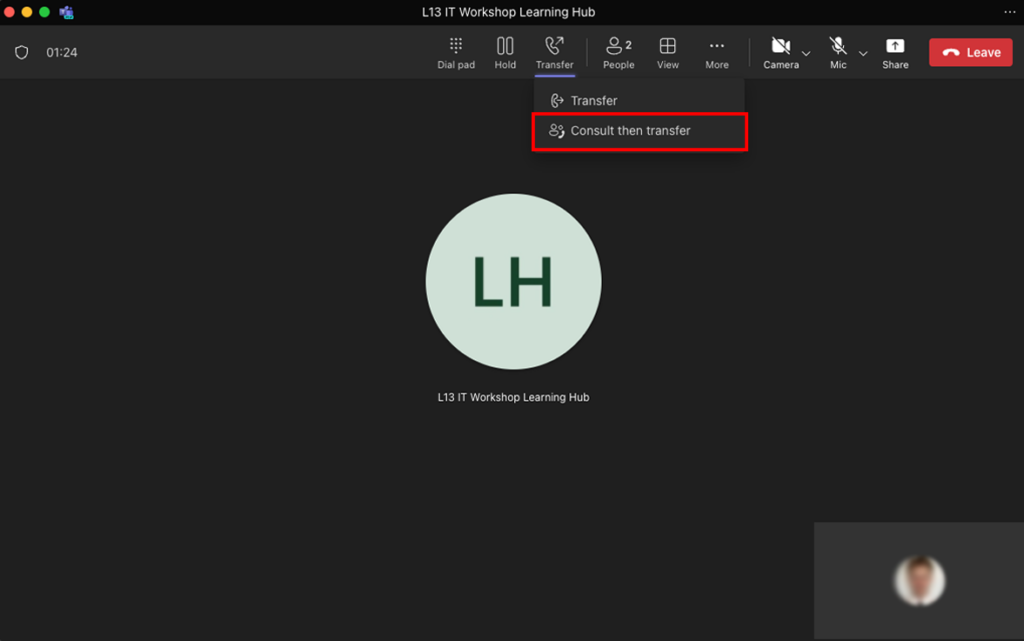
A consultative transfer allows you to speak to your colleague before transferring the call. To initiate a consultative transfer:
- While on the call, select Transfer.
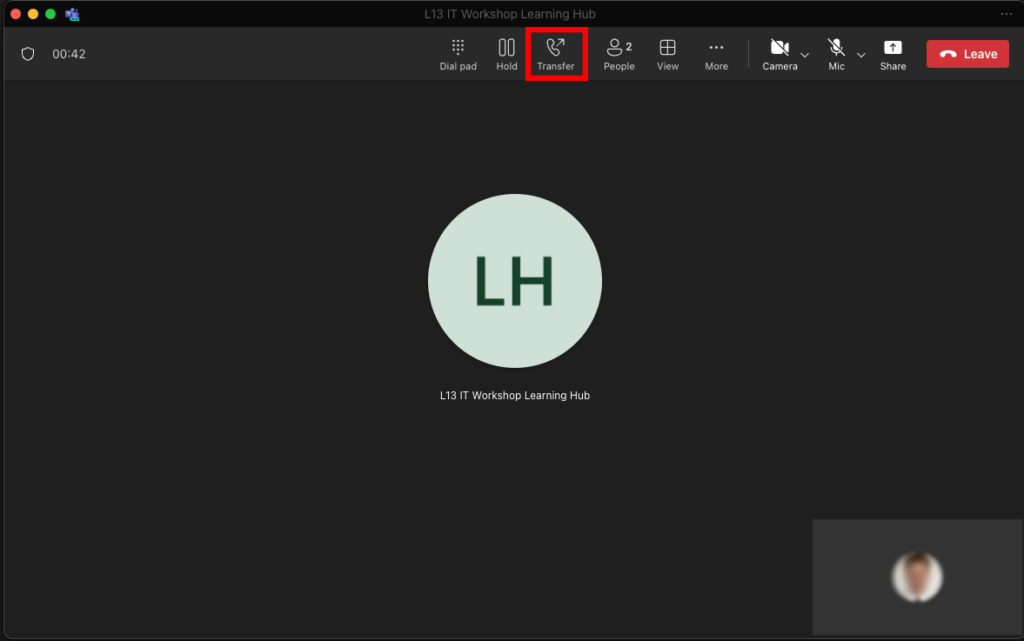
- Select Consult then Transfer.
- Type the name of the person you want to consult with.
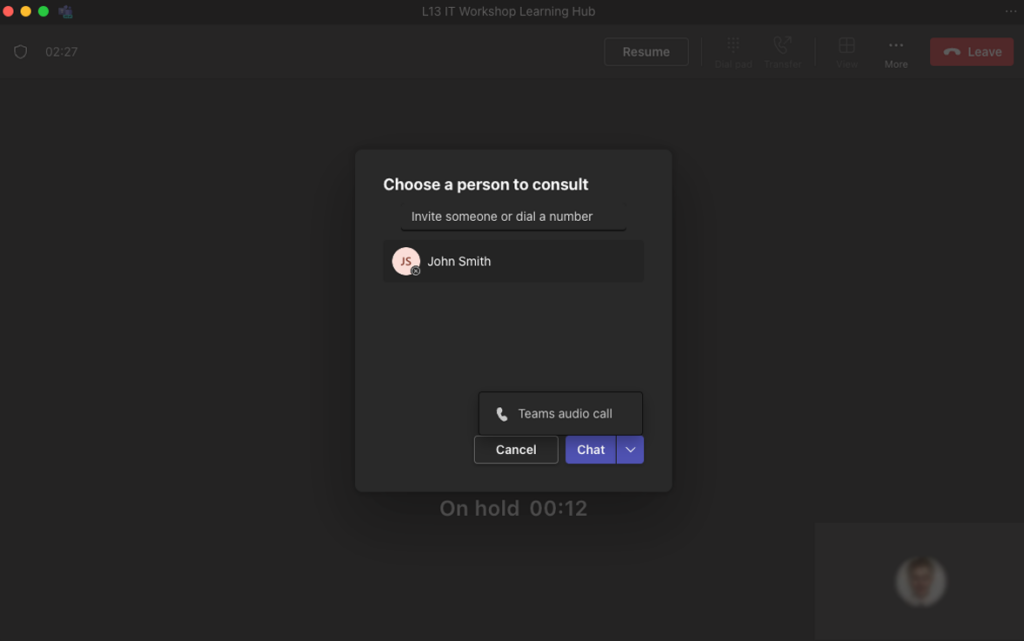
- You can then choose to either Chat via message or start a Teams audio call.